
NDSU Visits3.3.5 - App Store
You'll be able to see results in few seconds.
Publisher Description

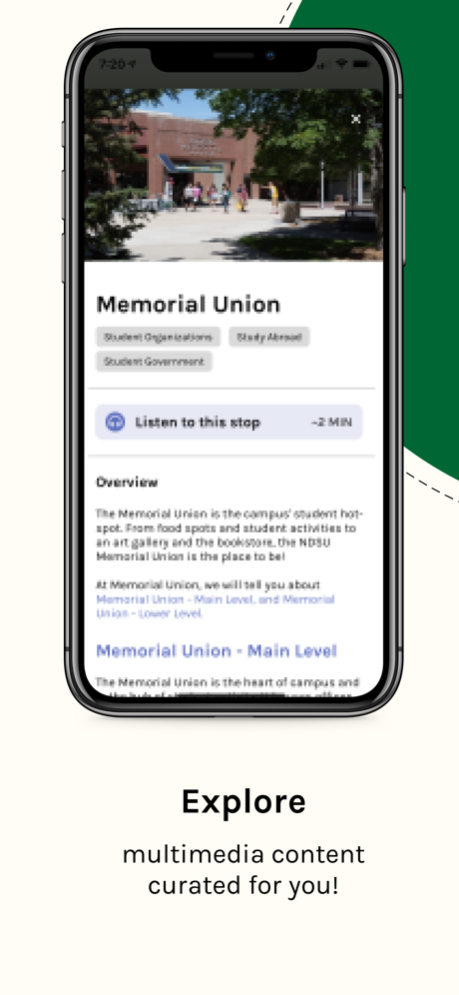


NDSU Visits is the best way for you to visit North Dakota State University. Whether you are on or off-campus, NDSU Visits will generate a personalized tour tailored to you and your interests. Tour and browse custom curated content with in-app navigation and augmented reality exploration.
With NDSU Visits, you can:
• Take a personalized tour with custom content tailored to you
• Take a self-guided version of the Admission’s official student-led tour
• If on NDSU's campus:
◦ Navigate campus
◦ Identify and learn about points of interest around campus using Augmented Reality
• If off-campus:
◦ Virtually visit each stop
◦ Listen to or read content about NDSU's campus, history, traditions, student life and academics
◦ Browse images and videos along your tour
NDSU Visits offers engaging tours for all visitors including prospective students, families, students, and tourists!
Aug 29, 2024
Version 3.3.5
General bug fixes and improvements
About NDSU Visits
The company that develops NDSU Visits is Adora Experiences Inc. The latest version released by its developer is 3.3.5.
To install NDSU Visits on your iOS device, just click the green Continue To App button above to start the installation process. The app is listed on our website since 2024-08-29 and was downloaded 0 times. We have already checked if the download link is safe, however for your own protection we recommend that you scan the downloaded app with your antivirus. Your antivirus may detect the NDSU Visits as malware if the download link is broken.
How to install NDSU Visits on your iOS device:
- Click on the Continue To App button on our website. This will redirect you to the App Store.
- Once the NDSU Visits is shown in the iTunes listing of your iOS device, you can start its download and installation. Tap on the GET button to the right of the app to start downloading it.
- If you are not logged-in the iOS appstore app, you'll be prompted for your your Apple ID and/or password.
- After NDSU Visits is downloaded, you'll see an INSTALL button to the right. Tap on it to start the actual installation of the iOS app.
- Once installation is finished you can tap on the OPEN button to start it. Its icon will also be added to your device home screen.
Program Details
System requirements
Download information
Pricing
Version History
version 3.3.5
posted on 2024-08-29
Aug 29, 2024
Version 3.3.5
General bug fixes and improvements
version 3.2.2
posted on 2023-01-17
Jan 17, 2023
Version 3.2.2
General updates and bug fixes.
version 3.0.0
posted on 2021-08-30
Aug 30, 2021 Version 3.0.0
Welcome to NDSU Visits 3.0.0!
This update brings an overhaul to the look of our on-campus and off-campus tours as well as adding a tonne of new features and bug fixes across the board.
Don’t feel like walking? You can now access off-campus tours while on campus. Off-campus tours have a new menu allowing you to skip stops or swipe between them, and each tour stop has a new look and lots to explore. On-campus tours have been revitalized to improve navigation and usability. We’ve also worked a lot to stabilize the app and improve accessibility features.
-New on-campus UI
-New off-campus UI
-Updated tour stop UI
-Updated Add stop UI
-User information validation
-Accessibility features
-Bug fixes
-Off-campus tours for those on-campus
-Server updates
-Updated audio reader
-Swipe gestures implemented
Disclaimer
Official App Store Link
We do not host NDSU Visits on our servers. We did not scan it for viruses, adware, spyware or other type of malware. This app is hosted by Apple and passed their terms and conditions to be listed there. We recommend caution when installing it.
The App Store link for NDSU Visits is provided to you by apps112.com without any warranties, representations or guarantees of any kind, so access it at your own risk.
If you have questions regarding this particular app contact the publisher directly. For questions about the functionalities of apps112.com contact us.
